Inc. 5000 List Ranks the Nation's Fastest-Growing Privately-Held Companies (Atlanta, GA – Sept 11, 2020) – For the third year in a row, Atlanta-based Phobio, the premier trade-in service for mobile operators and iconic consumer electronics brands, was named to the...
With Labor Day approaching, it seems like the perfect time to reflect on our nation’s evolving workplace. Since COVID-19 struck the U.S. in March, the American business world has undergone a seismic shift. In response to stay-at-home orders and social distancing...
Company’s Integrated Platform Enables Customers to Trade-In Mobile Devices Online and Receive Credit Toward New Device Purchases Atlanta, GA (May 28, 2020) – Phobio, the omnichannel trade-in service that allows for simplified consumer and business technology device...
Thinking about trading-in your old device to get your hands on the latest technology? Before you ship off your old smartphone, laptop, or tablet, follow these important steps to ensure your personal information is protected, your memories are saved, and your device is...
Phobio has donated 151 iPads to Stony Brook University Hospital. To reduce the risk of exposure to COVID-19 and make efficient use of PPE, healthcare workers are using the devices to virtually communicate with patients. When language barriers surface, the devices help...
There are currently over 3.5 billion smartphone users worldwide – a number that continues to grow as new device models are released. The volume of older devices represents tons of environmentally-unfriendly waste. To reduce the impact on the environment, trade-in...
Remote working has become the new normal for thousands of companies during the coronavirus pandemic. Mandatory stay-at-home policies have many employees working from home full-time for the first time. Since social distancing doesn’t seem to be going any anytime soon,...
Research has shown that the Coronavirus can live on some surfaces for as long as three days. While we all know that washing our hands with soap and water for 20 seconds can keep us germ-free, the virus could still be living on many of the mobile devices we use every...
To kick off the new year, the California Consumer Privacy Act (CCPA), officially known as AB 375, went into effect on January 1, 2020. This law became the first legislation in the U.S. to give consumers the right to control how their personal information is used...
From foldable phones and wireless charging to facial recognition and 6G technology, the next generation of smartphones is impressive. Innovative mobile device designs such as dual screens and the replacement of buttons with 3D sensors are sure to drive consumer demand...
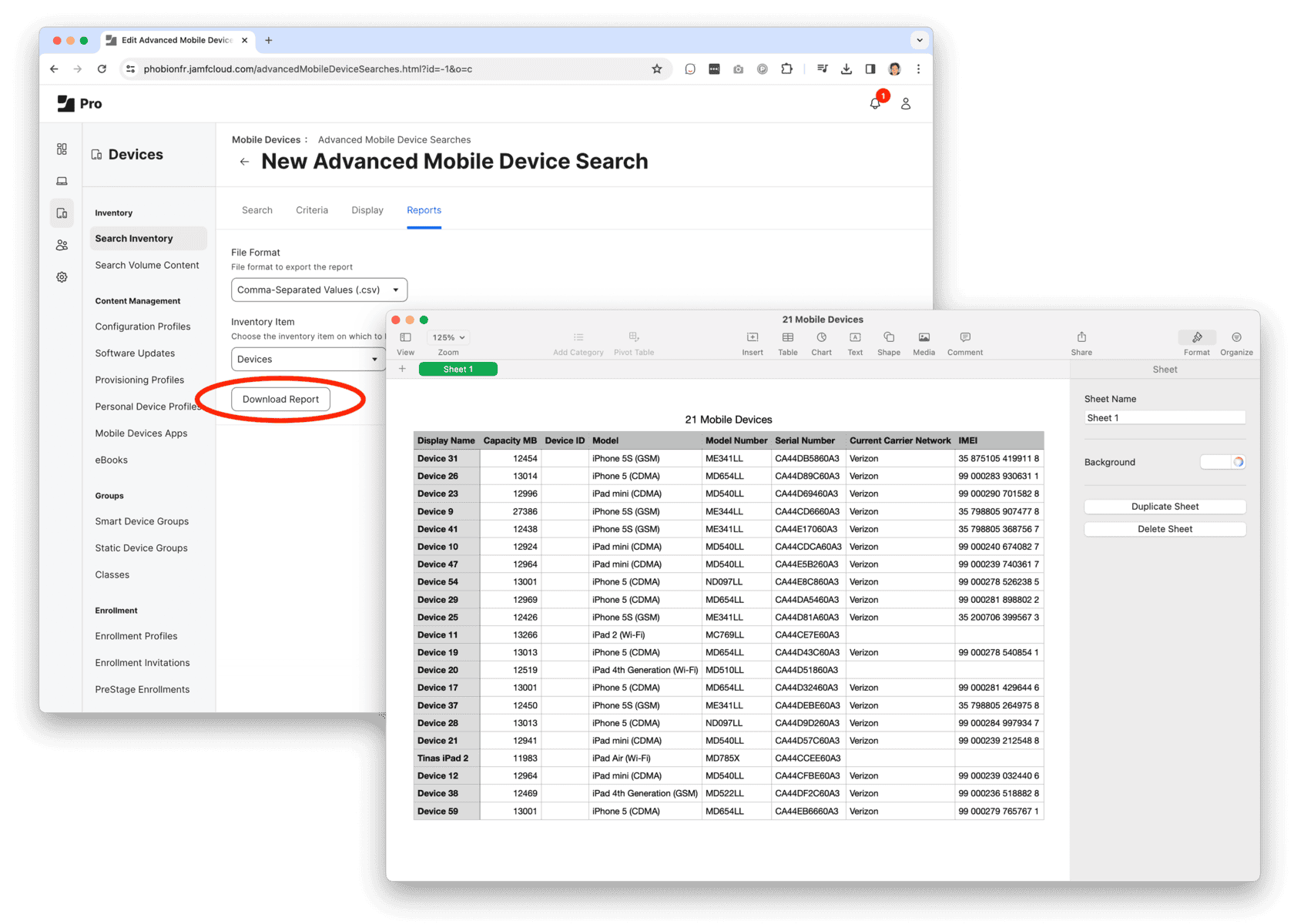
Step 1: Export a list of computers and devices from Jamf.
1. Create an Advanced Inventory Search for Computers and/or Devices
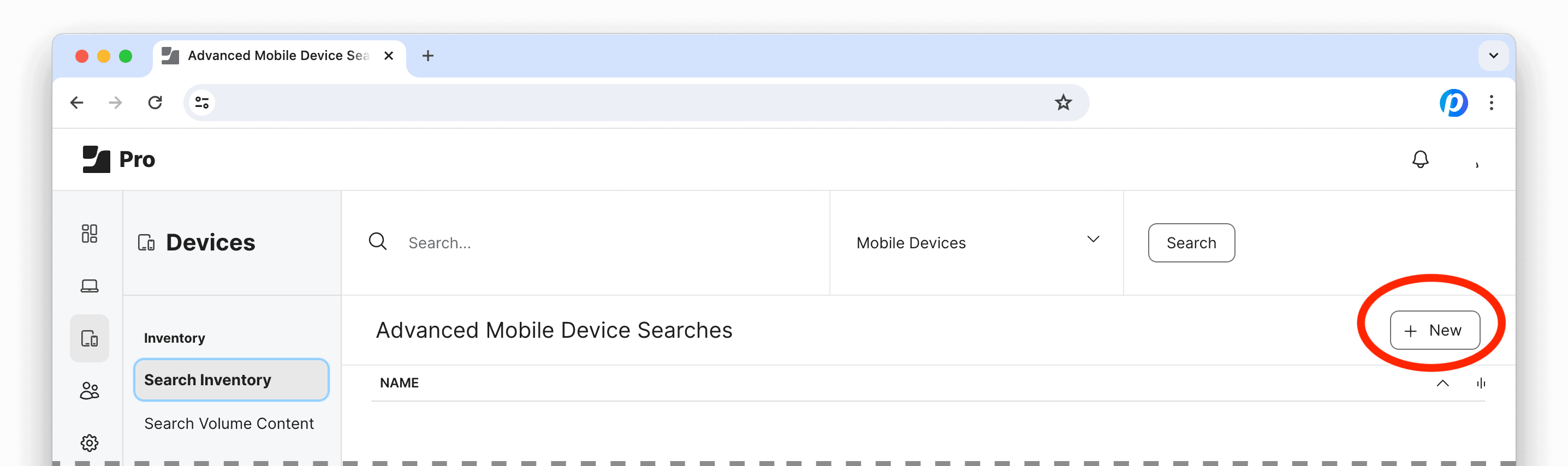
Log into Jamf Pro, under Computers and/or Devices, select Search Inventory and click the “+ New” button to create an Advanced Search.
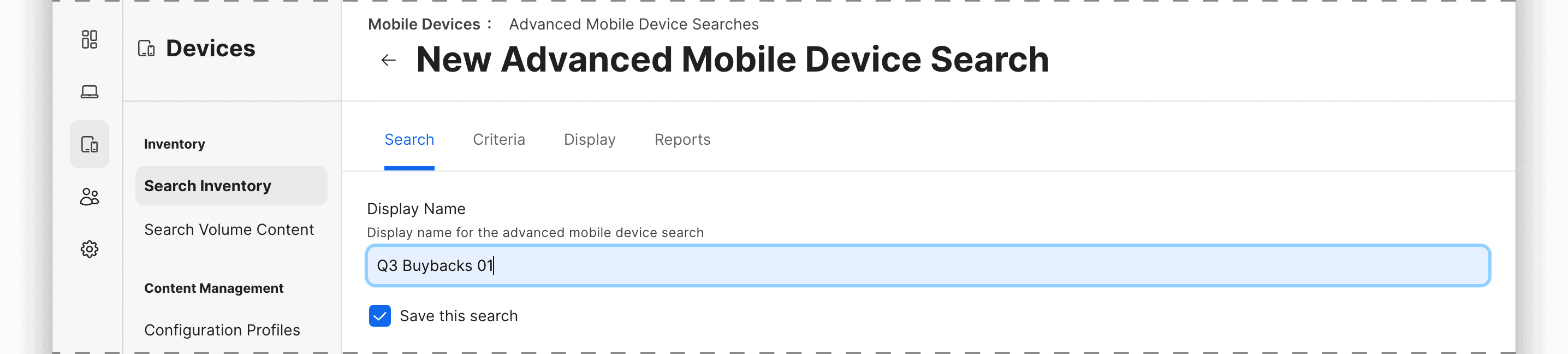
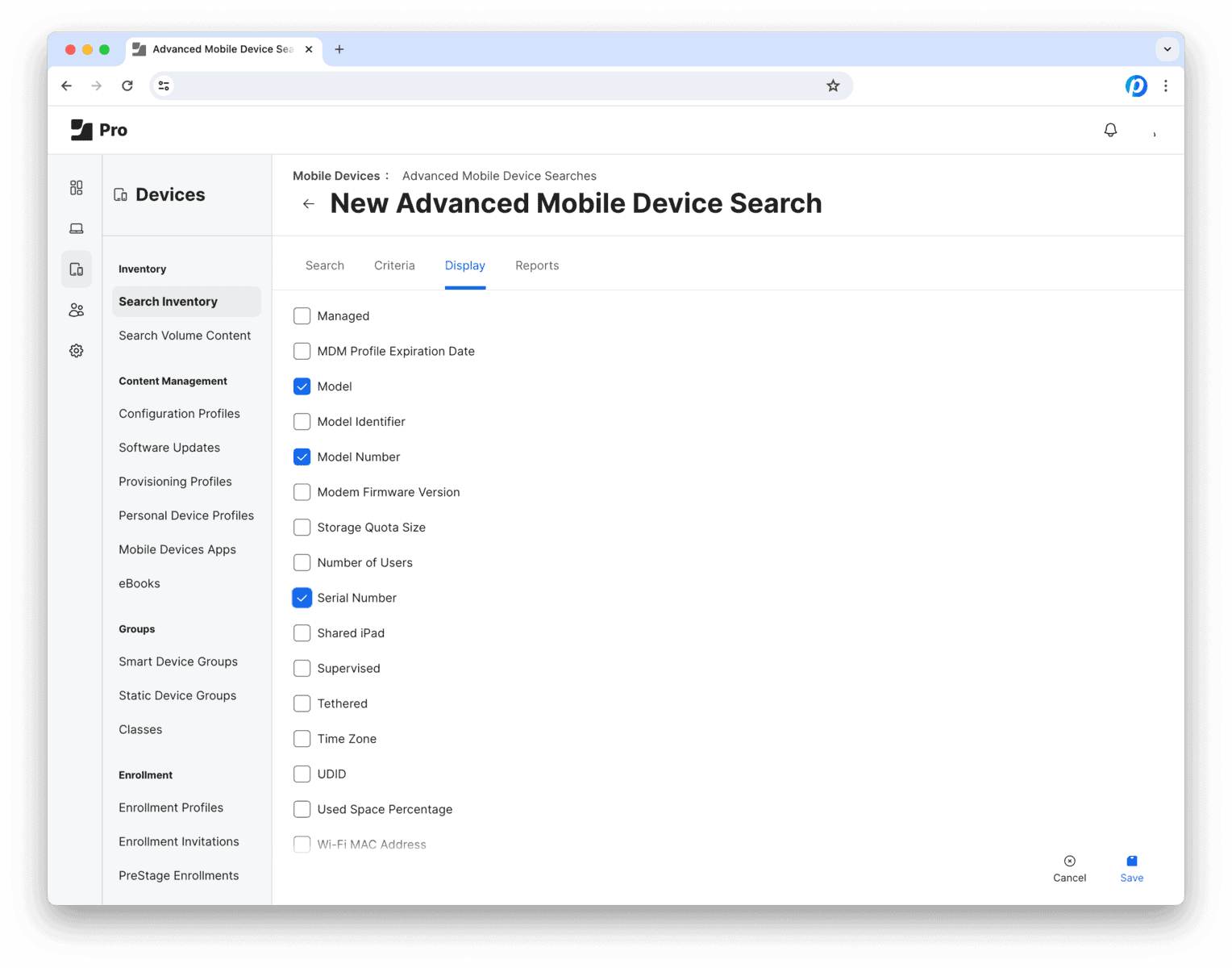
The next view has 4 tabs: Search Criteria Display Reports
2. Search tab
Save and name this Advanced Search for future use or reference.
Then move on to the next tab…
3. Criteria tab
Here is where we set the rules to define which devices should be included in Search Report. For example, you can use attributes like model, management status, location, ownership or any other inventory criteria.
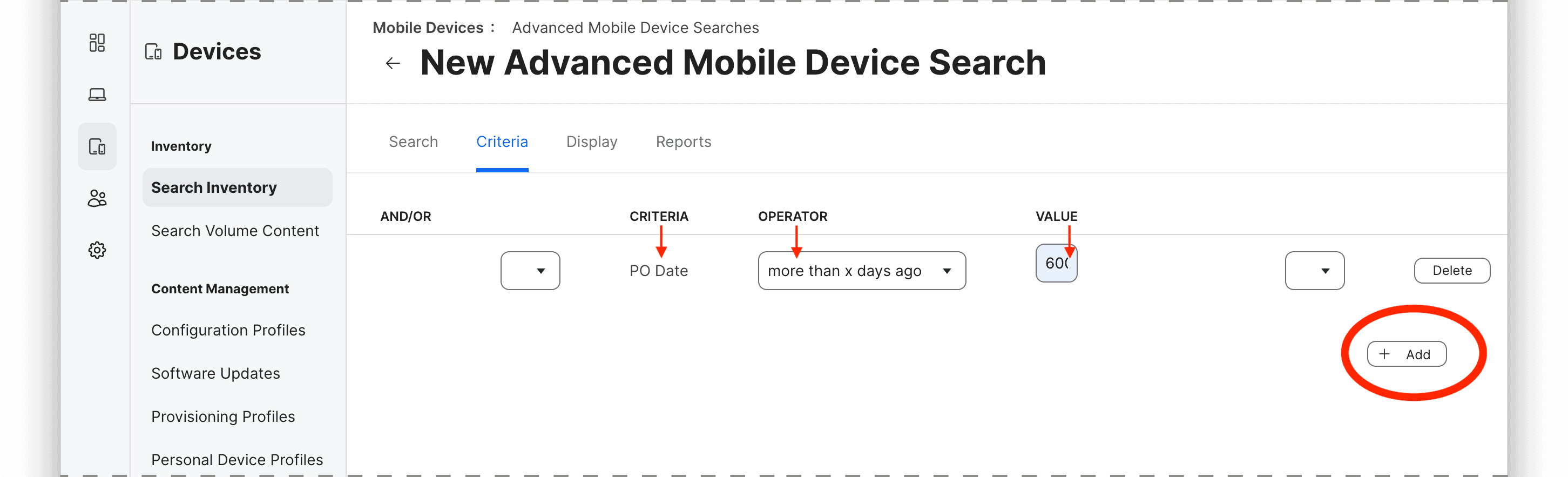
To add a criterion, click on the “+ Add” button and select the attribute, operator, and value for the rule.
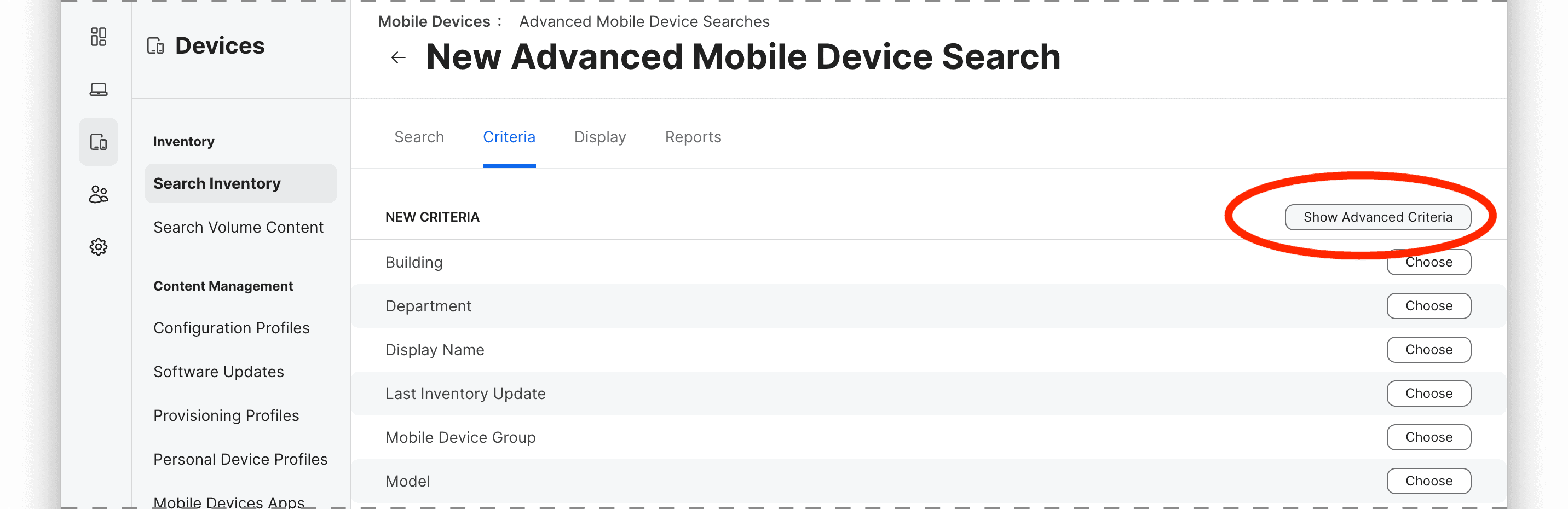
The most common criteria (i.e. “Model”) are listed by default, so to select specific parameters such as device age by purchase date (i.e. “PO Date”), ownership, Activation Lock, Carrier Network, lease status, etc. you may need to select “Show Advanced Criteria.”
In this example, we’ll look for devices that were purchased over 600 days ago, so the rule would be
criteria: PO Date
operator: more than x days ago
value: 600
You can add multiple criteria to narrow down the group using “All” or “Any” logic to determine whether all or any of the criteria must be met for a device to be included in the results.