If you’re like the majority of businesses, most (if not all) of your employees are working from home these days. And it looks like remote work is here to stay. The percentage of global workers who permanently work from home is expected to double in 2021, according to...
Ever wonder what happens behind the scenes at Phobio? We’re giving you an exclusive look of the process at our trade-in facility with our CEO Stephen Wakeling in this video. At Phobio, we want to make sure you have a great experience when you trade-in your devices to...
Our CEO, Stephen Wakeling, was recently interviewed by Atlanta Inno. Read what Stephen has to say about how Phobio is tackling e-waste with device trade-in. Read our interview here.
The typical American spends more than three hours a day on their smartphones, not including voice calls. That adds up to more than 2,600 taps, swipes and clicks every single day. Unbeknownst to many of these users, some of the smartphone apps they use on a daily basis...
Partnership with Drone Nerds Represents New Trade-In Category for Phobio New Business Comes as Phobio Experienced Double Digit Growth in 2020 (Atlanta, GA – Feb. 24, 2021) – Phobio, the premier trade-in service for mobile operators and iconic consumer electronics...
Whether you’re a rookie startup founder or a veteran CEO, every entrepreneur still has a lot to learn. If you’re searching for sources of knowledge and inspiration in 2021, we’ve got you covered. Here are four empowering books to help you kickstart your business this...
As 2021 gets underway, there is no way to predict exactly what this year will bring. But one thing is certain: Technology will continue to play a critical role for businesses and consumers across the globe. Here are four tech trends we expect to see in 2021: #1:...
When we founded Phobio in 2010, we were on a mission to simplify complicated trade-ins and offer a better customer experience. As we built the business and expanded our staff, something really cool happened along the way: we also created an awesome place to work. Over...
It’s the most wonderful time of the year, and holiday shopping is in full swing. For the last few years, it seems like technology has been at the top of everyone’s wish list, and 2020 is no different. Here are some of the hottest gadgets you’ll find under the tree...
To say that 2020 has been a tough year is the understatement of the century. Between a global pandemic, social unrest, a divisive election and countless other obstacles, the past few months have been difficult. Despite these challenges, we at Phobio remain...
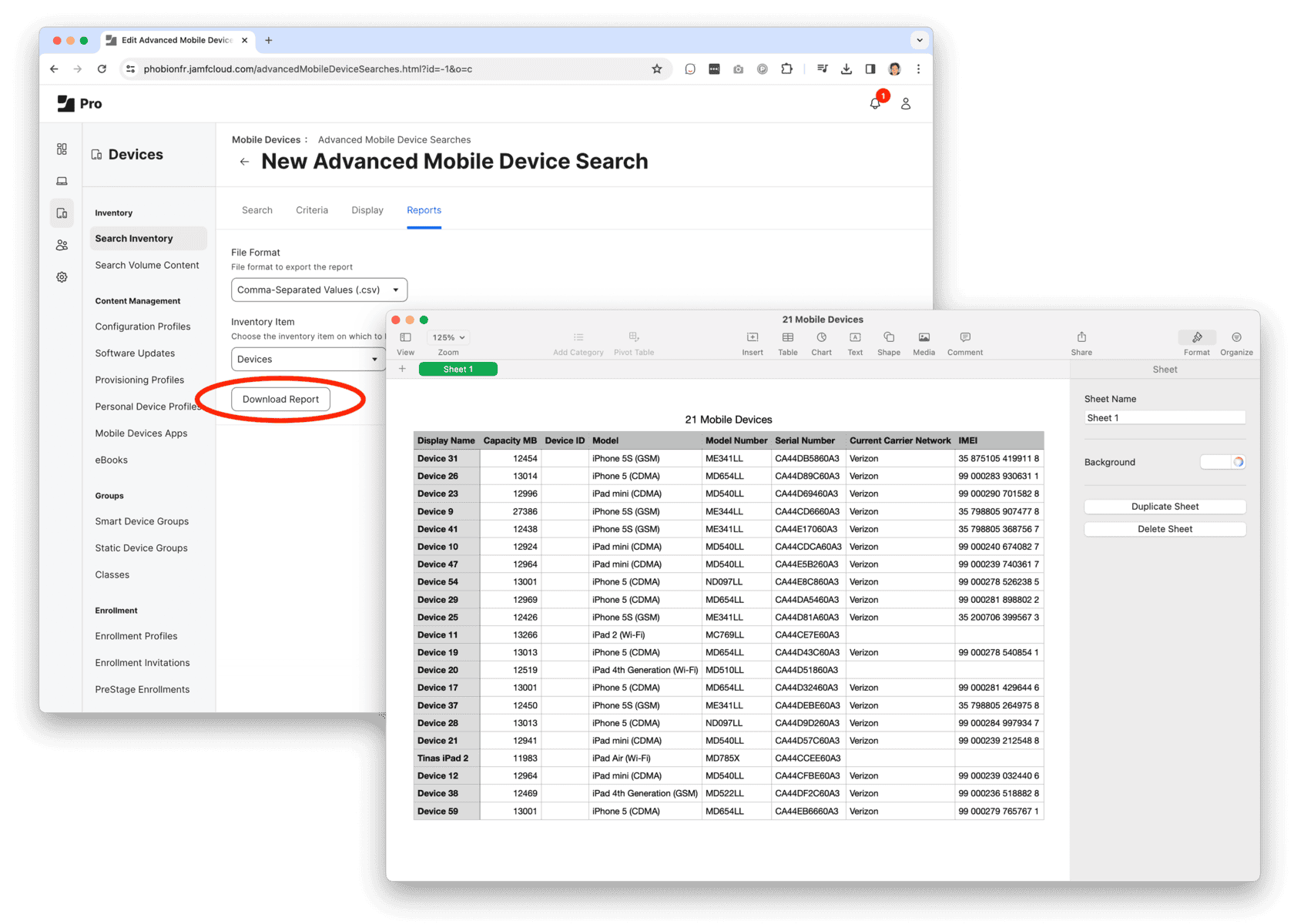
Step 1: Export a list of computers and devices from Jamf.
1. Create an Advanced Inventory Search for Computers and/or Devices
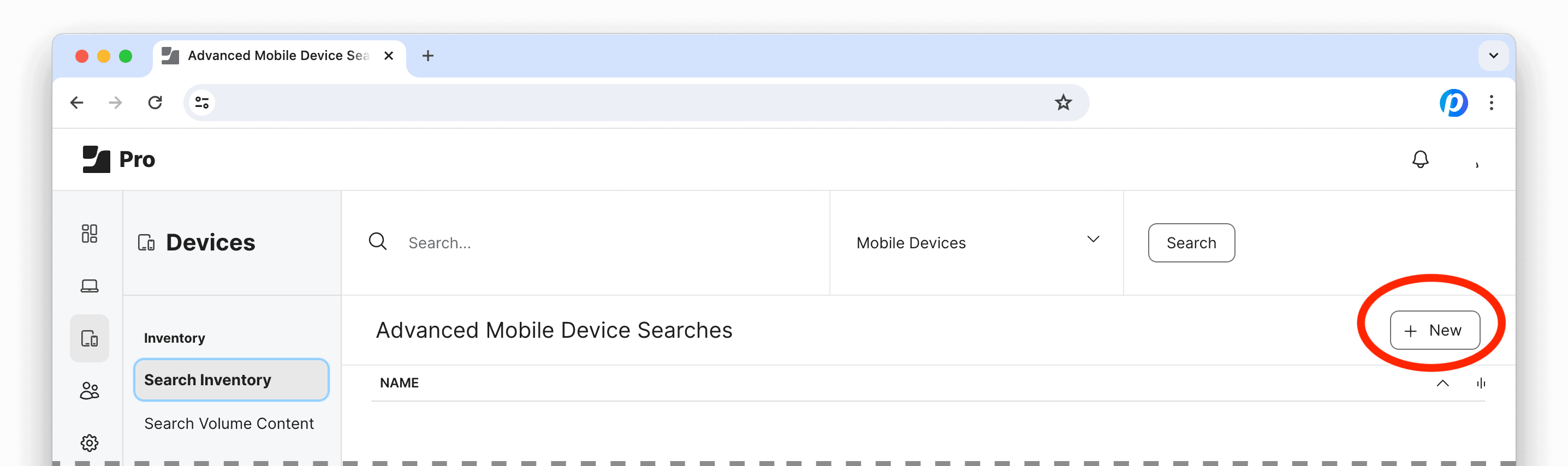
Log into Jamf Pro, under Computers and/or Devices, select Search Inventory and click the “+ New” button to create an Advanced Search.
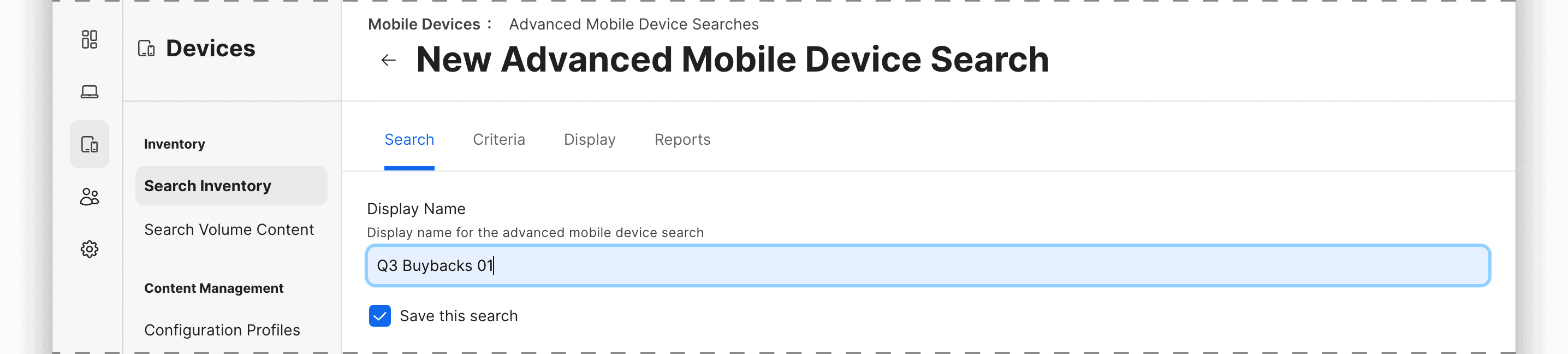
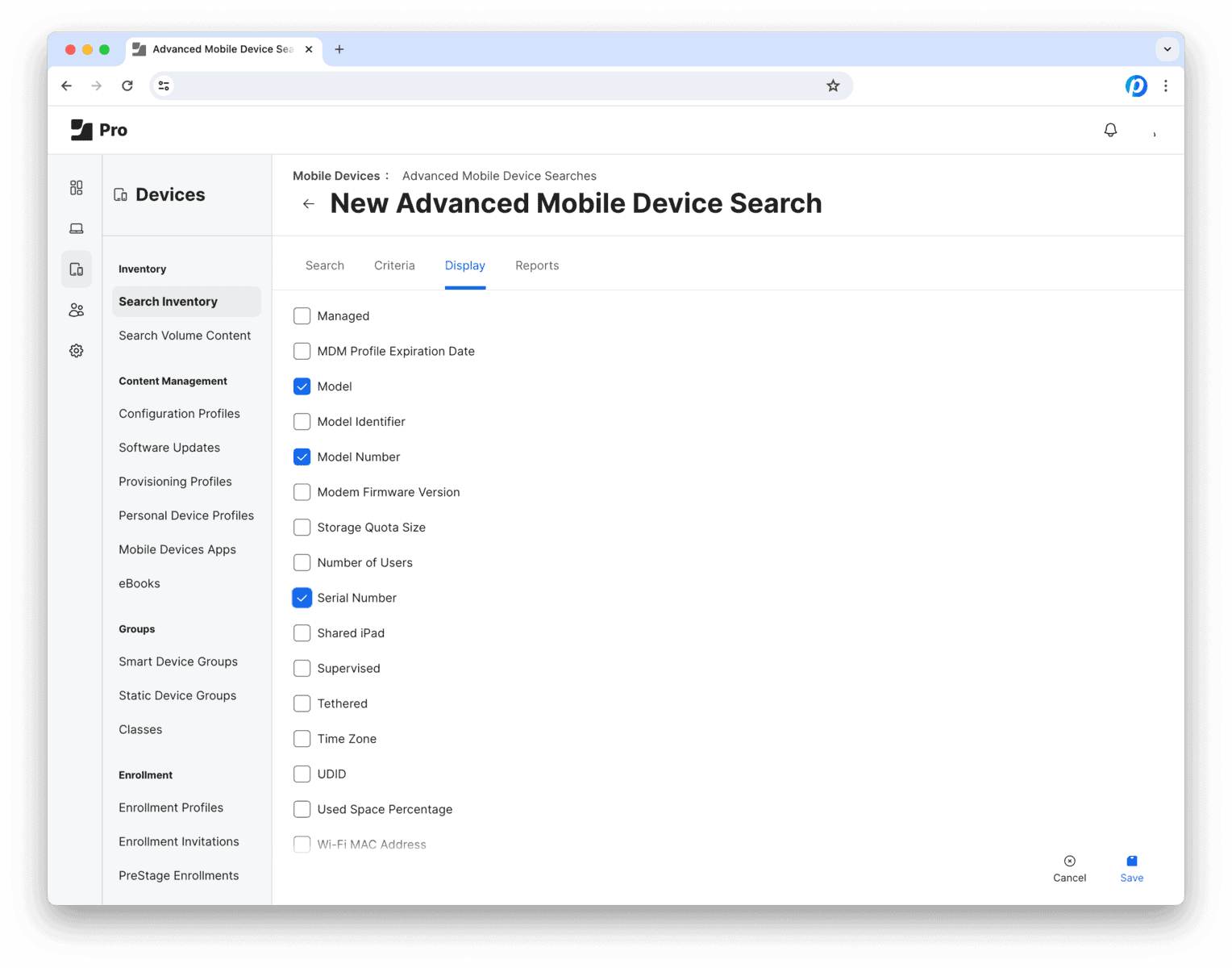
The next view has 4 tabs: Search Criteria Display Reports
2. Search tab
Save and name this Advanced Search for future use or reference.
Then move on to the next tab…
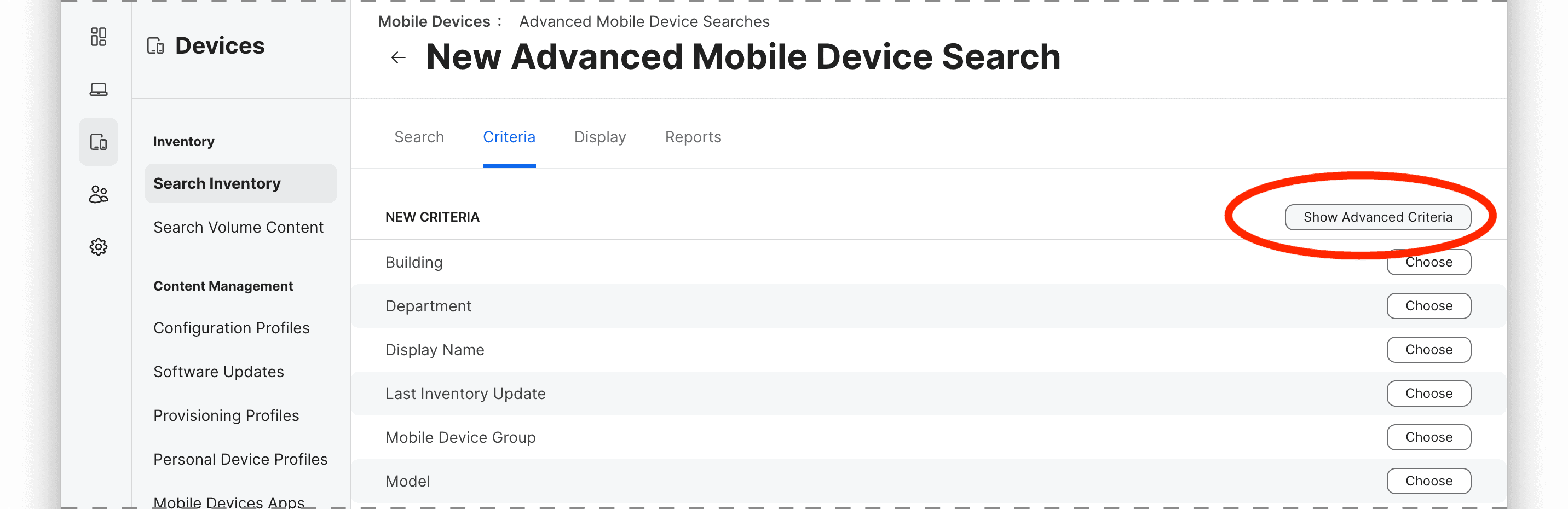
3. Criteria tab
Here is where we set the rules to define which devices should be included in Search Report. For example, you can use attributes like model, management status, location, ownership or any other inventory criteria.
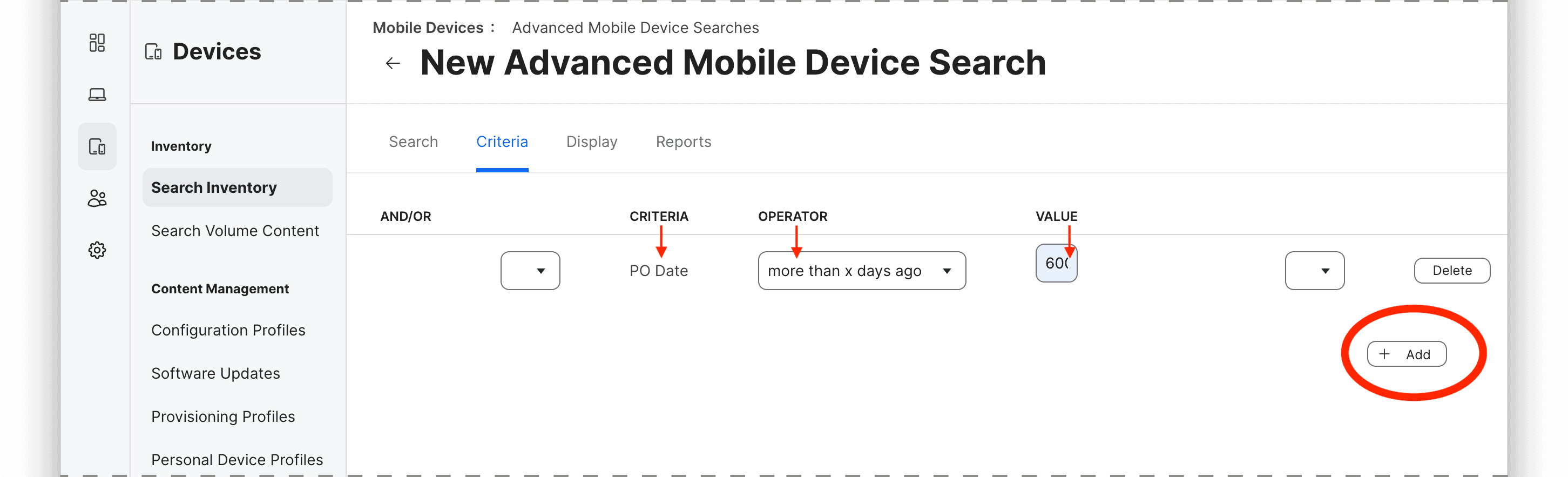
To add a criterion, click on the “+ Add” button and select the attribute, operator, and value for the rule.
The most common criteria (i.e. “Model”) are listed by default, so to select specific parameters such as device age by purchase date (i.e. “PO Date”), ownership, Activation Lock, Carrier Network, lease status, etc. you may need to select “Show Advanced Criteria.”
In this example, we’ll look for devices that were purchased over 600 days ago, so the rule would be
criteria: PO Date
operator: more than x days ago
value: 600
You can add multiple criteria to narrow down the group using “All” or “Any” logic to determine whether all or any of the criteria must be met for a device to be included in the results.