Phobio’s CEO Stephen Wakeling, writes about the disruptive realities facing retailers created by shifts in the retail buying experience. Attracting today’s “on-demand” consumers requires a flexible, seamless omnichannel approach that offers multiple options for trading-in old devices towards the purchase of increasingly more expensive new ones.
Phobio is proud to be recognized as one of the top 40 fastest growing middle-market companies by the Atlanta Chapter of the Association for Corporate Growth (ACG), a global professional organization with the mission of driving middle-market growth. To be considered,...
Stephen recently participated in Martech's MTS Interview Series, a Q&A style interview that shares insights from the biggest and brightest minds in marketing and technology. In his interview, Stephen talks about the early days of Phobio, his personal shift from...
Stephen Wakeling, founder and CEO of Phobio, joins Future Tech Podcast to talk about starting and growing the company over the past 8 years, and the opportunity to revolutionize workplace communications that lead to the development of Rodio, which Phobio discovered...
Smartphone trade-ins come in all shapes and sizes. Most of the time, a damaged device or upgrade eligibility will determine the customer’s urgency to pursue their trade-in options in-store or online. To elevate the customer journey, delivering an omni-channel trade-in...
Phobio was recently awarded our 3rd Fastest Growing Companies in Georgia award by The Association for Corporate Growth's Atlanta Chapter. This year, we placed 7th out of the 40 middle-market companies selected for the award. “I’m extremely proud of this honor,” said...
Phobio's CEO, Stephen Wakeling, talks to the Retail Focus Podcast about the role workplace communications must play in a changing retail environment. Listen to the full Retail Focus podcast.
Omnichannel experiences, millennial workforces, and innovations with technology are all creating disruption for retailers. Staying ahead of market trends and customer behavior is critical for any business to survive. Writing for Retail Touchpoints, Stephen Wakeling,...
There are over 2.3 billion smartphone users worldwide – a number that’s expected to grow nearly 25 percent by 2020. With that many users and devices out in the wild, what happens to the typical phone over the course of its lifecycle? Phobio’s research has found that...
Supporting Earth Day, Phobio was sourced in an article promoting the reason why consumers should be recycling their phones. Read the full article here.
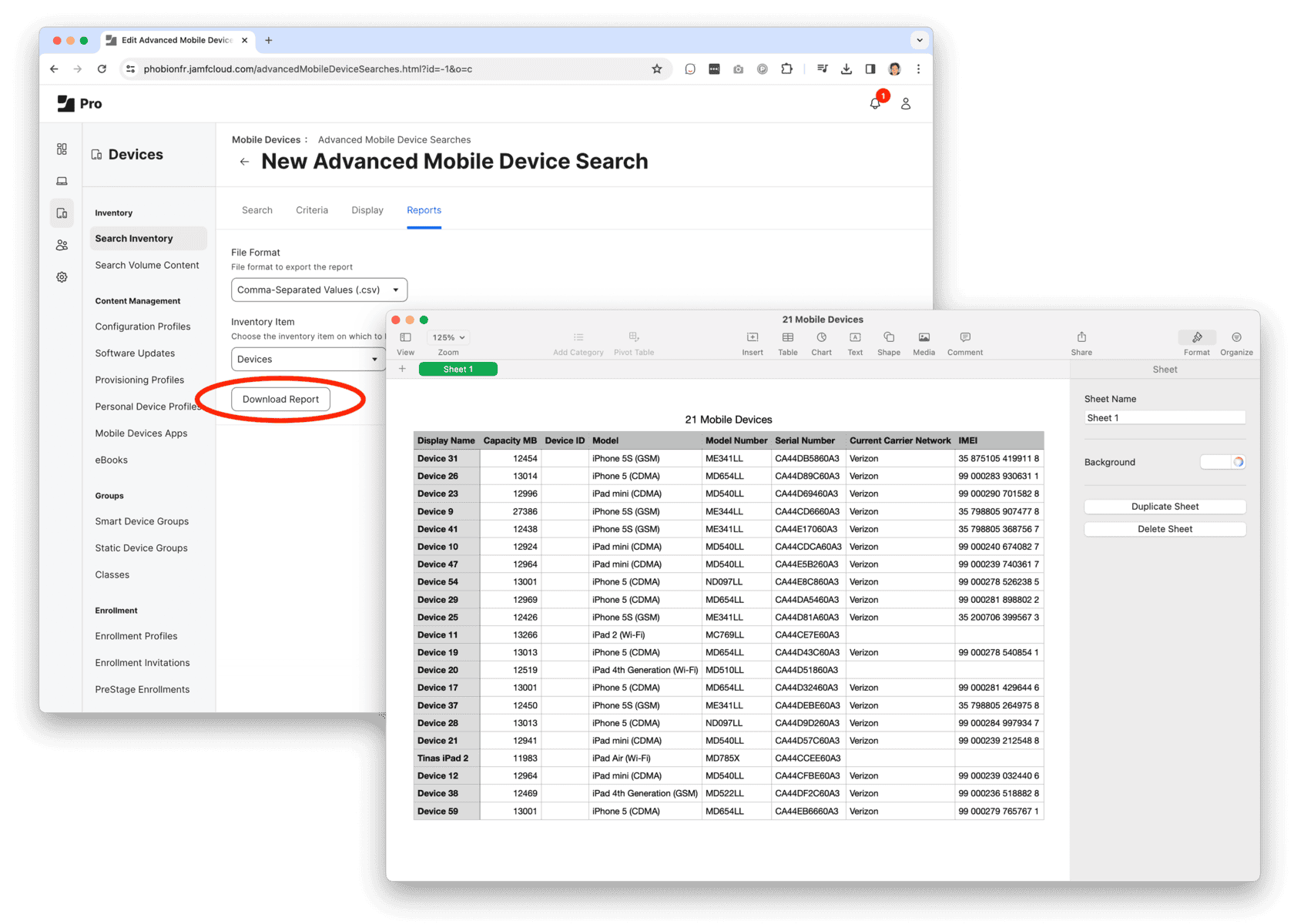
Step 1: Export a list of computers and devices from Jamf.
1. Create an Advanced Inventory Search for Computers and/or Devices
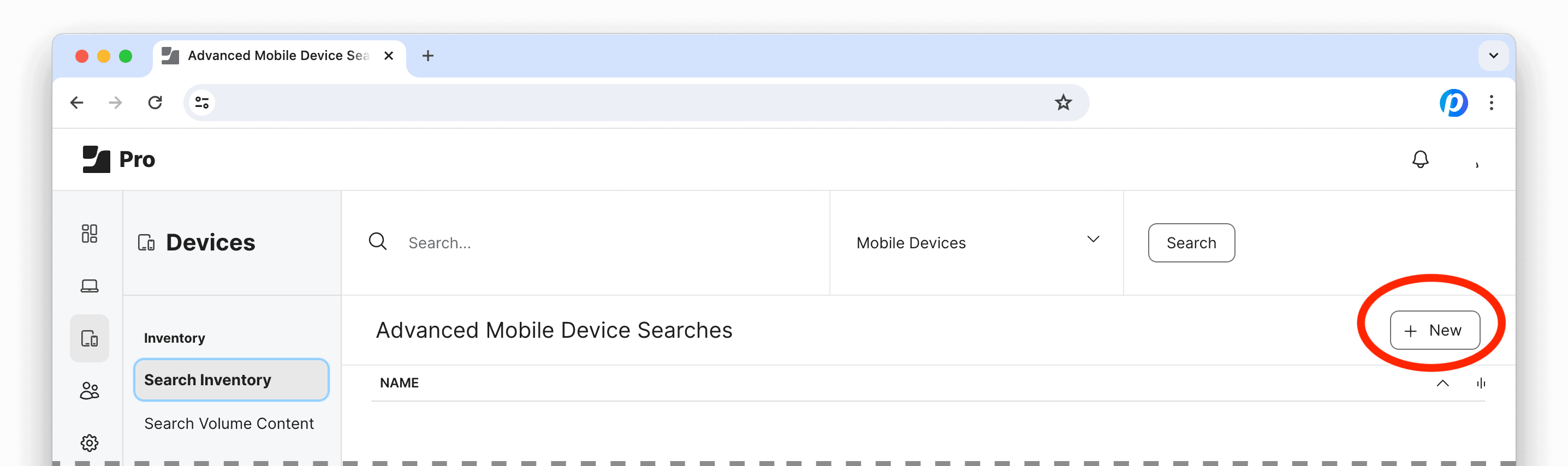
Log into Jamf Pro, under Computers and/or Devices, select Search Inventory and click the “+ New” button to create an Advanced Search.
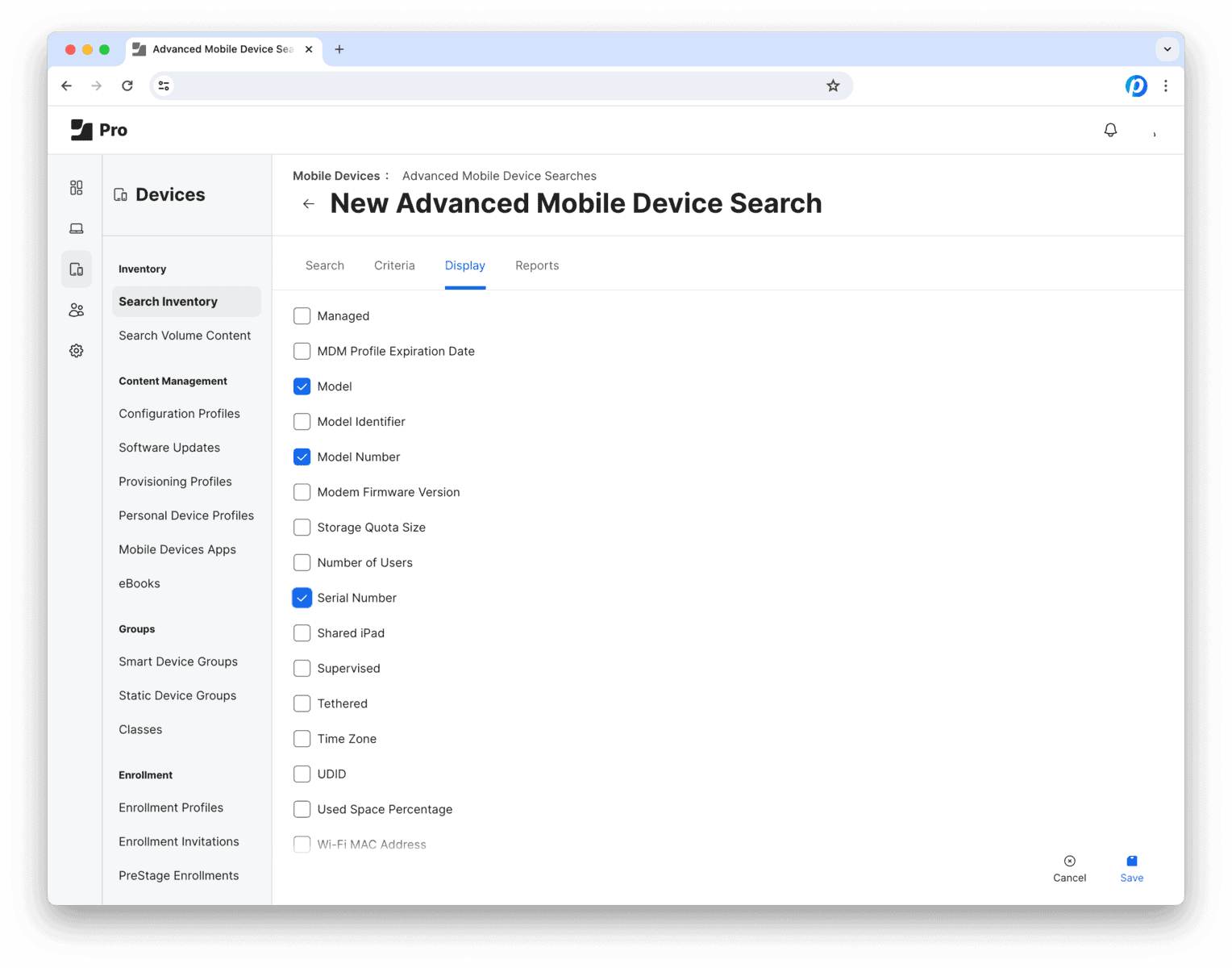
The next view has 4 tabs: Search Criteria Display Reports
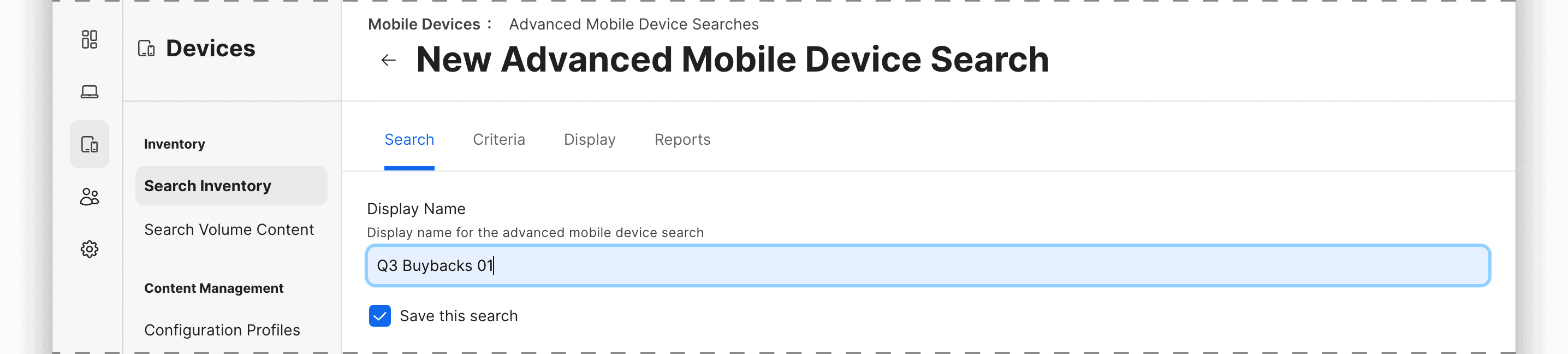
2. Search tab
Save and name this Advanced Search for future use or reference.
Then move on to the next tab…
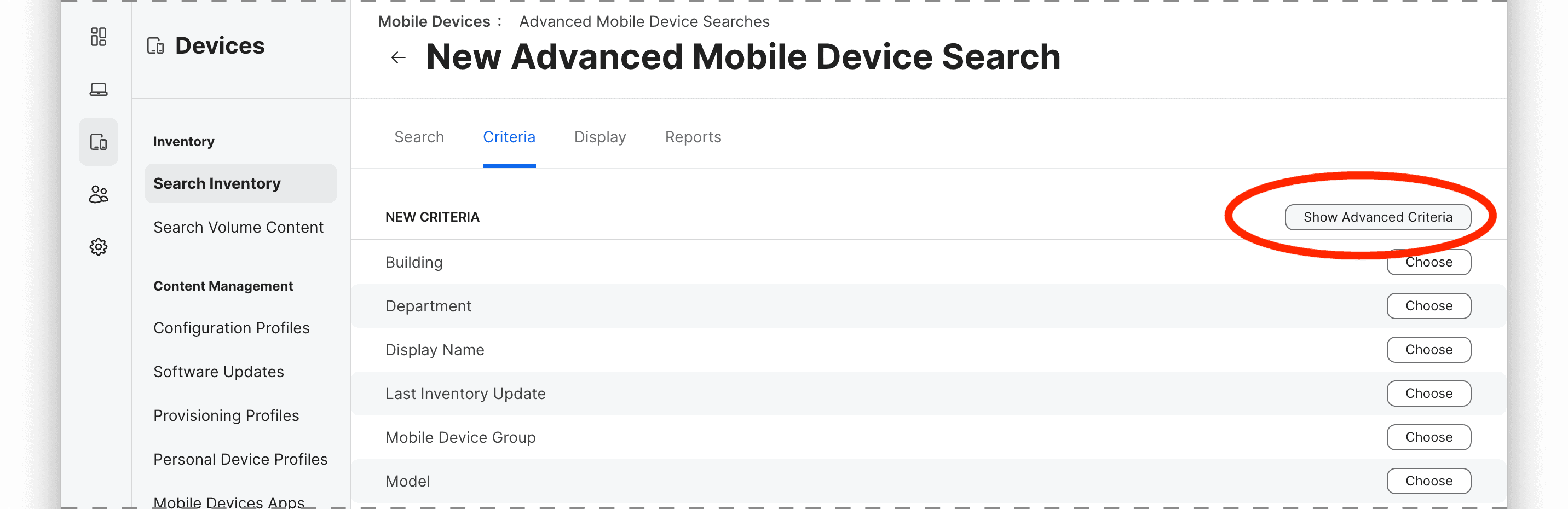
3. Criteria tab
Here is where we set the rules to define which devices should be included in Search Report. For example, you can use attributes like model, management status, location, ownership or any other inventory criteria.
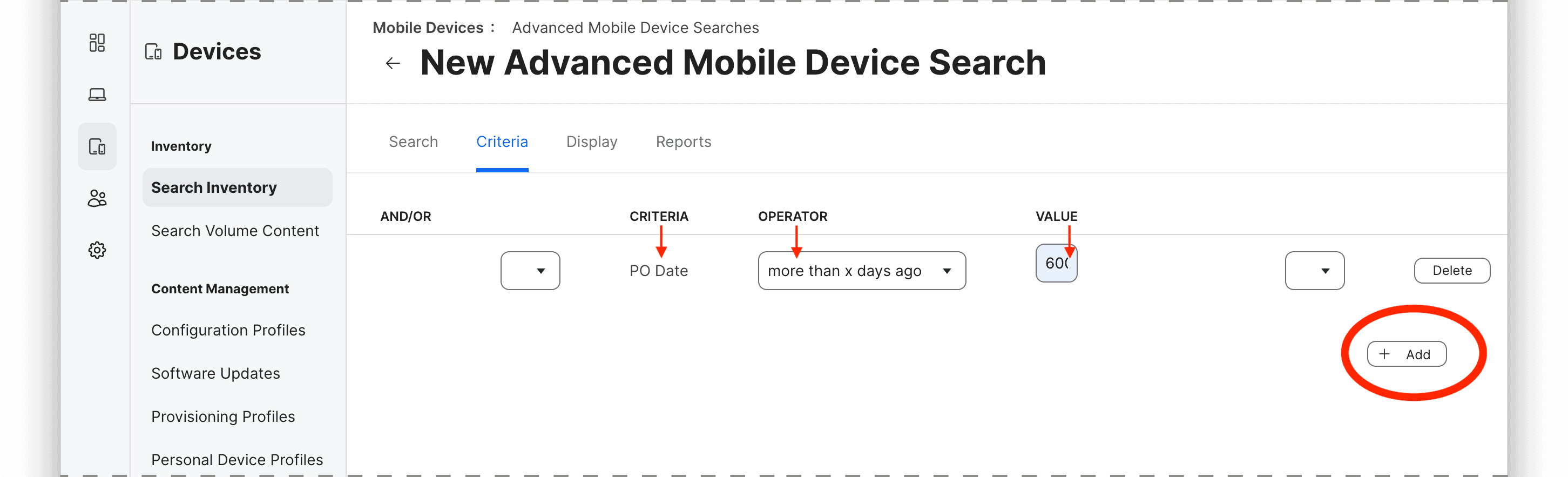
To add a criterion, click on the “+ Add” button and select the attribute, operator, and value for the rule.
The most common criteria (i.e. “Model”) are listed by default, so to select specific parameters such as device age by purchase date (i.e. “PO Date”), ownership, Activation Lock, Carrier Network, lease status, etc. you may need to select “Show Advanced Criteria.”
In this example, we’ll look for devices that were purchased over 600 days ago, so the rule would be
criteria: PO Date
operator: more than x days ago
value: 600
You can add multiple criteria to narrow down the group using “All” or “Any” logic to determine whether all or any of the criteria must be met for a device to be included in the results.