In today’s digital world, our smartphone is the lifeline that keeps us connected to co-workers, clients, relatives and friends. When your device starts acting glitchy, it can be incredibly frustrating. Worse yet, when your smartphone suddenly dies, it feels like...
While many older Americans are quarantining at home during the pandemic, they certainly aren’t withdrawing from society. These mature consumers are tapping into technology at unprecedented rates to avoid social isolation and stay connected, entertained and informed....
5G, one of the hottest buzzwords of 2020, is finally here. You may be wondering: What exactly is 5G and will it live up to the hype? Short for 5th Generation, 5G is the new global standard for cellular technology that follows in the footsteps of 1G, 2G, 3G and 4G. 5G...
Looking for Leadership Inspiration? Check Out These 12 Quotes from Successful Entrepreneurs. Running a business in 2020 is no joke. Between a global pandemic, social unrest, an unpredictable economy and uncertainty about the future, it’s been a tough year for...
Ready to Trade-Up to a New Smartphone? Here’s How Much You Could Get for Your Current Device. During a virtual event on Tuesday, October 13, Apple announced four new phones: the iPhone 12, the iPhone 12 Pro, the iPhone 12 Pro Max and the new, smaller, iPhone 12 Mini. ...
Witches, ghosts and goblins, oh my! With Halloween just around the corner, it’s our favorite time of year to huddle around the campfire and share spooky stories. At Phobio, we can’t think of anything more frightening than what some consumers do with their old phones,...
If it seems like everyone is glued to their mobile devices these days, it’s not your imagination. According to digital research authority eMarketer, the average American spends 3.6 hours a day on a mobile device. Whether they’re snapping face filter photos, responding...
During its September 15th event, Apple announced an array of new products, including some exciting devices. The new products include: Apple Watch Series 6 Eighth-generation iPad New iPad Air Ready to Trade-Up? Know Your Device’s Worth! If you’re thinking about...
While there are a handful of trade-in providers out there, not all are created equal. Looking to boost new device sales and stand out from the competition? Look no further than Phobio. Our smart trade-in solutions are not only safe, simple and trustworthy—they also...
When COVID-19 hit the U.S. in March and prompted widespread shelter-in-place orders, millions of Americans suddenly found themselves in complete isolation. According to psychologists, loneliness can take a serious toll on our mental and physical health. In fact, an...
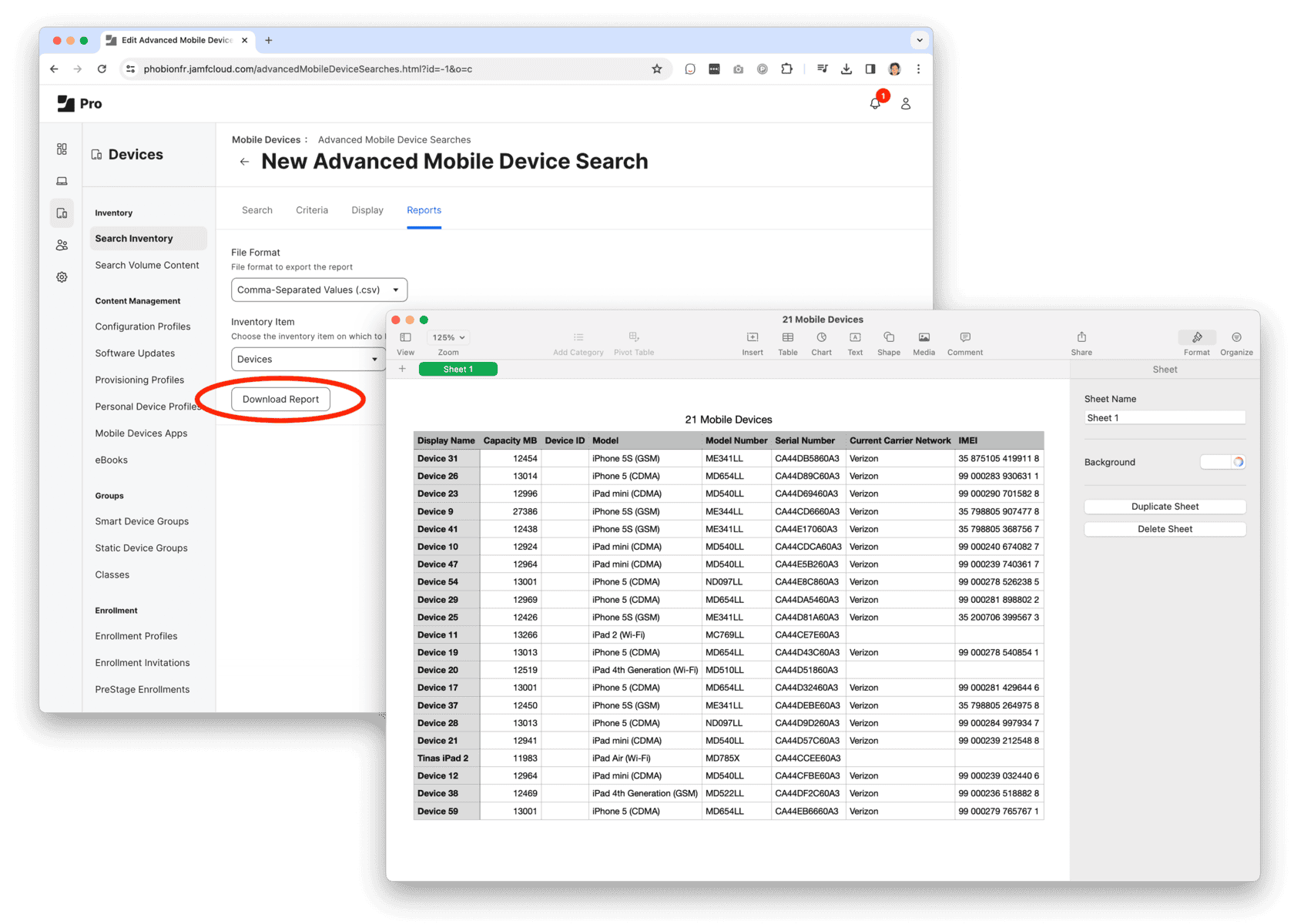
Step 1: Export a list of computers and devices from Jamf.
1. Create an Advanced Inventory Search for Computers and/or Devices
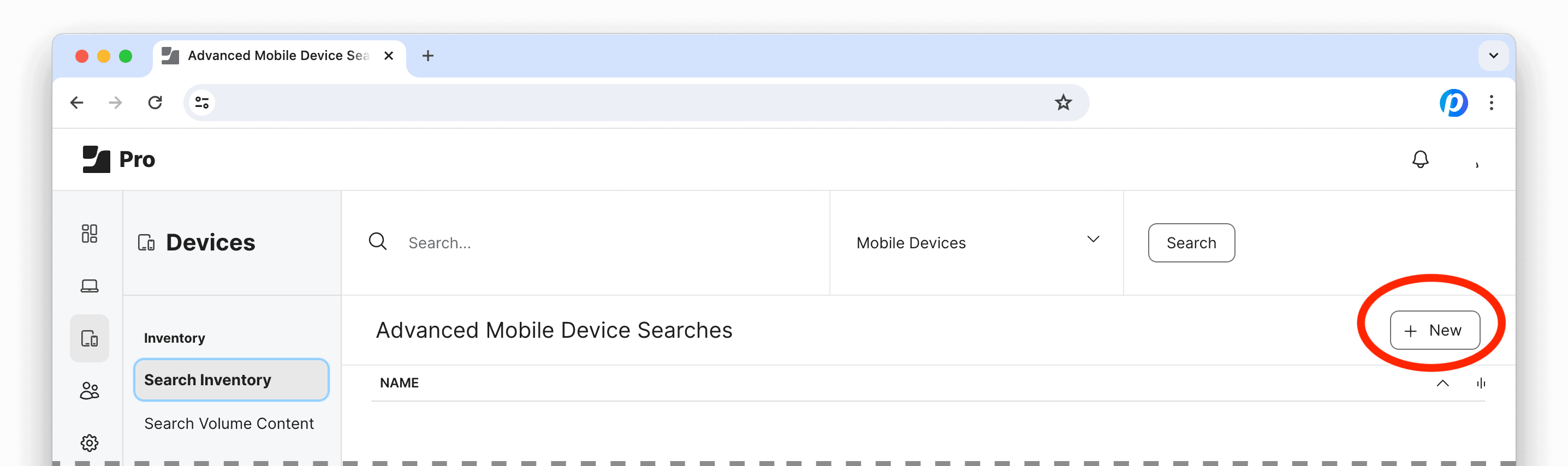
Log into Jamf Pro, under Computers and/or Devices, select Search Inventory and click the “+ New” button to create an Advanced Search.
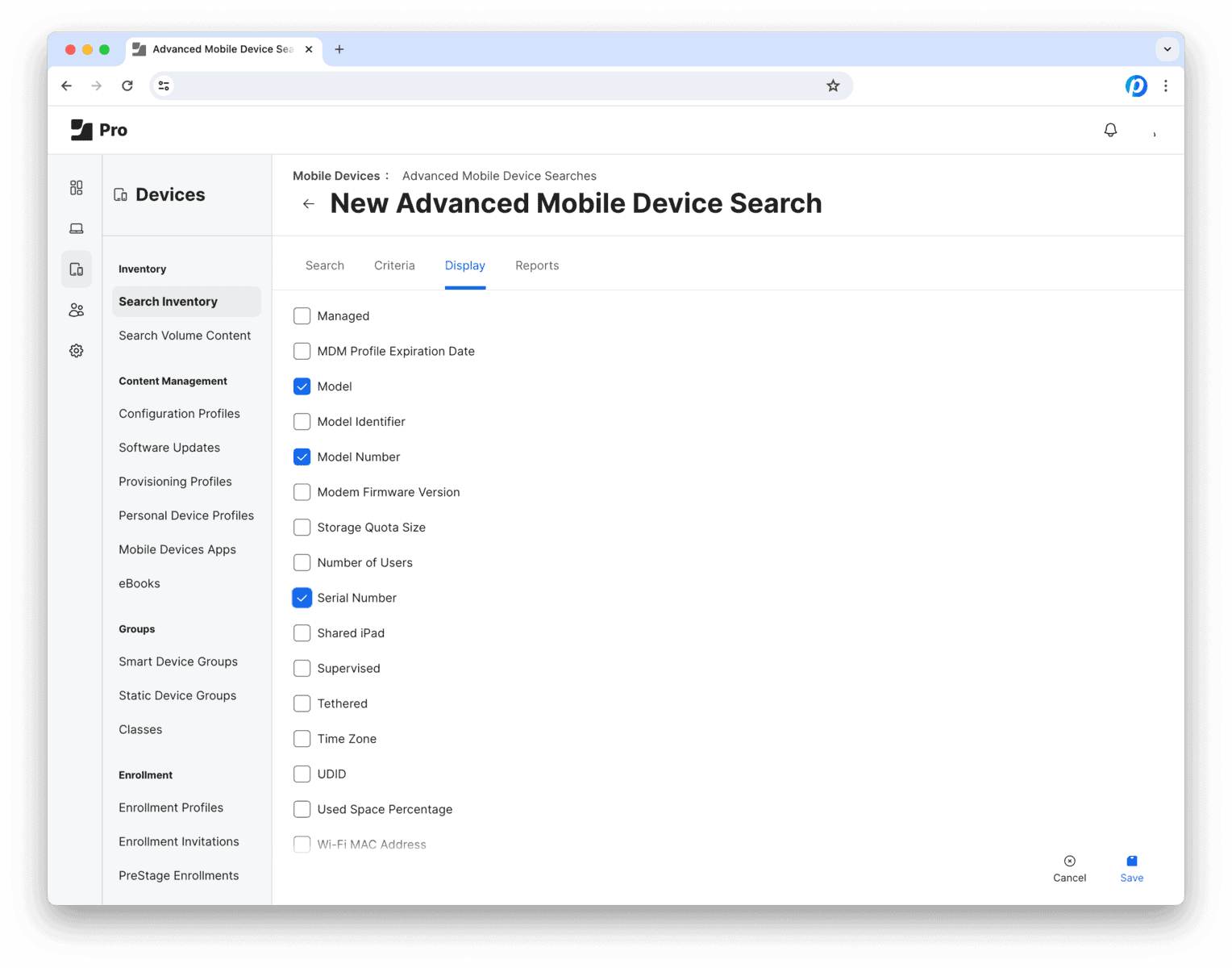
The next view has 4 tabs: Search Criteria Display Reports
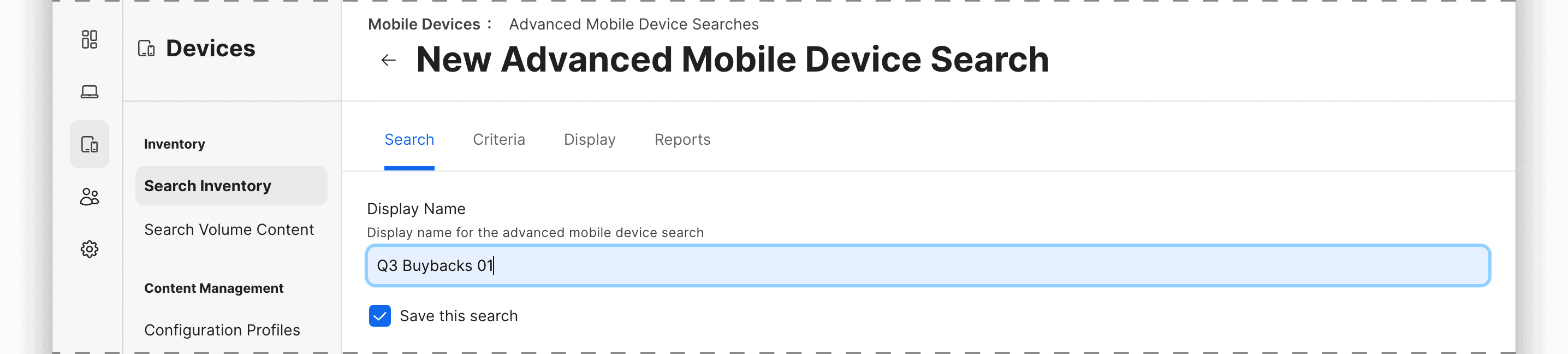
2. Search tab
Save and name this Advanced Search for future use or reference.
Then move on to the next tab…
3. Criteria tab
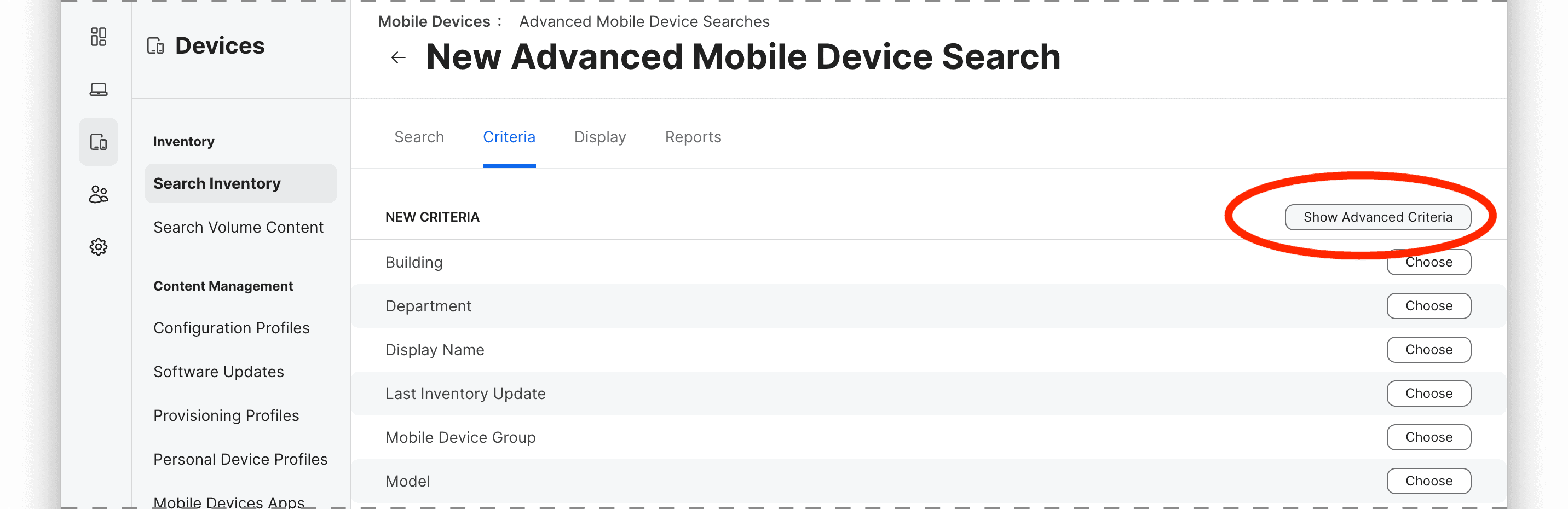
Here is where we set the rules to define which devices should be included in Search Report. For example, you can use attributes like model, management status, location, ownership or any other inventory criteria.
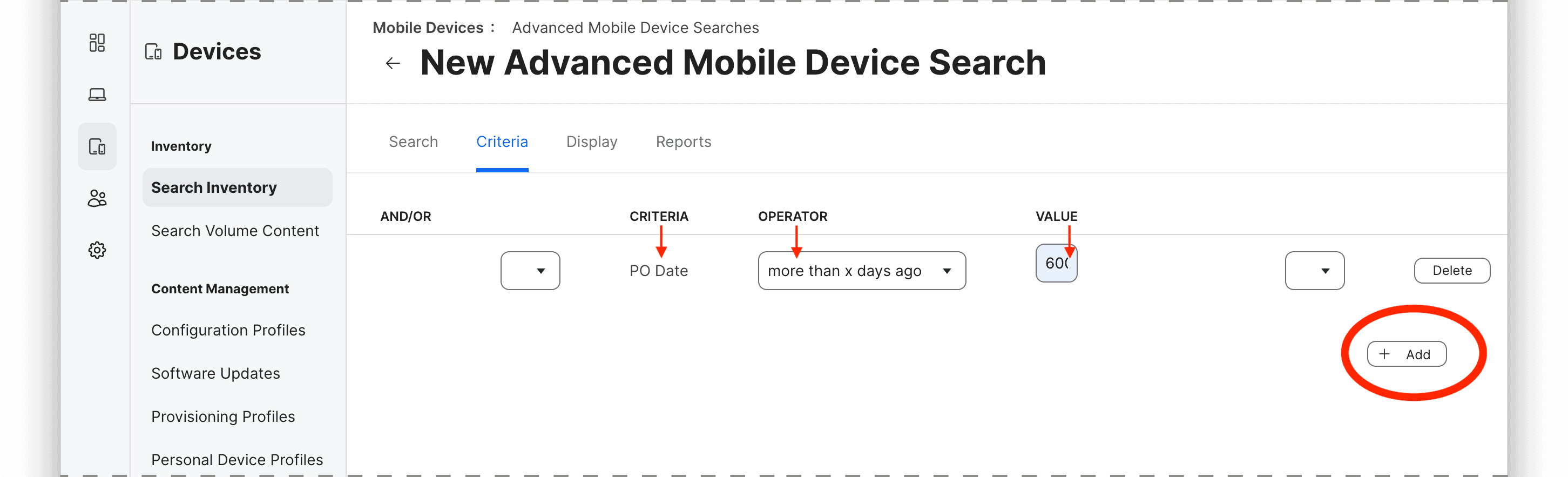
To add a criterion, click on the “+ Add” button and select the attribute, operator, and value for the rule.
The most common criteria (i.e. “Model”) are listed by default, so to select specific parameters such as device age by purchase date (i.e. “PO Date”), ownership, Activation Lock, Carrier Network, lease status, etc. you may need to select “Show Advanced Criteria.”
In this example, we’ll look for devices that were purchased over 600 days ago, so the rule would be
criteria: PO Date
operator: more than x days ago
value: 600
You can add multiple criteria to narrow down the group using “All” or “Any” logic to determine whether all or any of the criteria must be met for a device to be included in the results.