

Article
How to Unlock Apple Devices from MDM and Activation Lock
- Business
Phobio
Oct 13, 2025 · 10 min read
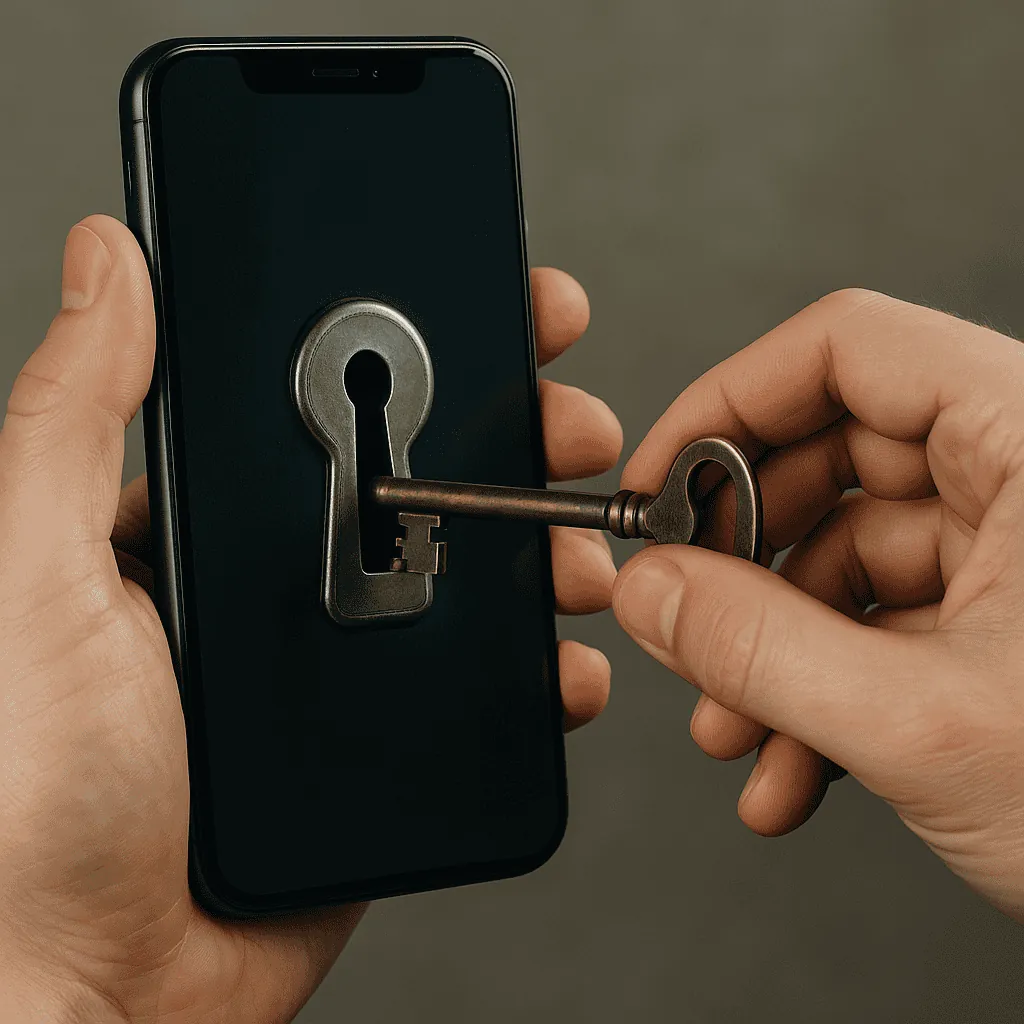
Apple devices enrolled in mobile device management (MDM) or managed through Apple Business or Apple School Manager are protected by controls designed to prevent unauthorized use, enrollment, or access.
Those controls are important for security, but organizations also need a legitimate way to release devices when they are decommissioned, transferred, sold, replaced, or otherwise leave the organization.
The key is understanding that MDM enrollment and Activation Lock are different controls and may require different actions.
For organization-owned devices, the appropriate way to remove management or Activation Lock is to use the organization's Apple Business or Apple School Manager account, the connected device management service, or Apple's support process when the organization can establish ownership.
What Is the Difference Between MDM and Activation Lock?
MDM enrollment allows an organization to manage an Apple device, while Activation Lock is an anti-theft security feature that prevents unauthorized activation of a protected device.
They are related but not interchangeable.
An MDM system can configure settings, deploy applications, enforce policies, and send commands to managed devices.
Activation Lock is designed to prevent someone else from activating a device that remains associated with an Apple Account or an organization's Activation Lock system.
Apple's current documentation allows organizations to manage Activation Lock for eligible organization-owned devices through Apple Business, provided the device remains registered with the organization and has not already been released.
That distinction matters when preparing devices for resale or another ownership transfer.
How Do You Remove MDM From an Organization-Owned Apple Device?
If your organization still controls the device and its Apple Business or Apple School Manager account, the organization should first remove the device from its management workflow before transferring ownership.
The exact steps depend on how the device is enrolled and which device management service is connected.
In Apple Business, administrators can unassign devices from a device management service. Apple documents this as a separate action from releasing the device from the organization entirely.
For a device that is being permanently transferred or sold, the organization may ultimately need to release the device from Apple Business, depending on how it was registered and managed.
Method 1: Release the Device Through Apple Business or Apple School Manager
If your organization still owns and controls the device, releasing it through Apple's management portal is generally the most direct path when the device is leaving the organization permanently.
For current Apple Business workflows:
Sign in to Apple Business with an account that has permission to release devices.
Open Devices > Inventory.
Search for the device by serial number or locate it in the device list.
Select the device.
Choose Release from Organization.
Confirm that you understand the release cannot be undone.
Wait for the release activity to complete.
Verify that the device shows a released status.
Erase and restore the device before transferring it to its new owner.
Apple states that released devices remain visible in the device listing but can no longer be assigned to a device management service. Apple also specifically notes that Activation Lock can no longer be managed through Apple Business after a device has been released.
Why Should You Handle Activation Lock Before Releasing a Device?
Organizations should resolve Activation Lock before releasing an Apple device because Apple Business cannot manage Activation Lock after the device has been released.
If Activation Lock is enabled on an organization-owned device, Apple provides a separate Turn Off Activation Lock function for eligible devices that are still registered with the organization.
The workflow is:
Sign in to Apple Business with the required device-management permissions.
Open Devices > Inventory.
Locate the device.
Confirm that Activation Lock is enabled.
Select Turn Off Activation Lock.
Confirm the action.
Wait for the activity to complete.
Then complete the appropriate release and erase workflow if the device is leaving the organization.
Apple specifically distinguishes turning off Activation Lock from releasing the device from the organization.
Method 2: Use the MDM Service to Manage Activation Lock
If the organization's MDM service has the appropriate Activation Lock capabilities, an administrator may be able to use the device management service to turn off organization-linked Activation Lock or use an escrowed bypass code, depending on the device and configuration.
Apple documents Activation Lock bypass codes as a device-management capability across supported versions of iOS, iPadOS, macOS, and visionOS.
The exact interface varies by MDM provider.
Common enterprise MDM platforms include services such as Jamf, Mosyle, and Kandji, but the available commands and workflows depend on the provider's implementation.
The general process is:
Sign in to the organization's MDM console.
Locate the device.
Check its Activation Lock status.
Retrieve or use the appropriate Activation Lock bypass mechanism if supported.
Send the applicable command to the device.
Confirm that the device can be activated or prepared for its next owner.
Complete the organization's unenrollment, release, and erase procedures.
Do not assume that an MDM unenrollment automatically removes Activation Lock. The two controls should be verified separately.
What Is an Activation Lock Bypass Code?
An Activation Lock bypass code is an enterprise management credential that can allow an authorized organization to remove or bypass Activation Lock on a managed Apple device, when supported by the device and management configuration.
Apple documents the bypass code as information that a device management service can escrow and retrieve.
The availability and exact procedure depend on the device, operating system, Activation Lock type, and management configuration.
For that reason, administrators should follow the documentation for their specific MDM platform rather than assuming one bypass procedure works across every Apple device.
Method 3: What If the Organization No Longer Controls the Device?
If a device has changed hands and the original organization no longer has access to its Apple Business, Apple School Manager, or MDM account, the new owner should establish a clear chain of ownership and contact the appropriate Apple support channel.
This situation commonly occurs when organizations acquire used equipment, receive devices through a merger or acquisition, purchase equipment from another business, or discover that retired hardware was transferred without being properly released.
The first step is to determine who originally owned and managed the device.
Gather documentation such as:
Device serial number
IMEI, when applicable
Original purchase documentation
Reseller or supplier documentation
Asset records
Transfer or sale documentation
Available Apple Business or Apple School Manager records
MDM records showing the organization's relationship to the device
Apple's management documentation emphasizes organization ownership and device registration when managing Activation Lock.
Do not attempt to circumvent an organization's management controls. The legitimate solution is to have the owner or an authorized administrator release the device through the appropriate management system.
Can Apple Remove MDM or Activation Lock Without Proof of Ownership?
You should not assume that Apple will remove organization security controls without verifying ownership or authorization.
MDM enrollment and organization-linked Activation Lock exist specifically to protect organizational devices.
If you acquired a device from another organization, the cleanest solution is usually to have the original owner remove the device from its management systems before the transfer is completed.
If that is no longer possible, collect the strongest available ownership and chain-of-custody documentation and contact the appropriate Apple business support channel to determine what assistance is available.
What Should Organizations Do Before Selling or Decommissioning Apple Devices?
Organizations should remove the device from active management, resolve Activation Lock, document the transfer, and erase the device before transferring ownership.
A practical decommissioning workflow is:
1. Identify the Device
Record the serial number, IMEI when applicable, asset number, model, and current user.
2. Check MDM Status
Determine which device management service currently manages the device.
3. Check Activation Lock
Confirm whether Activation Lock is enabled and identify whether it is user-linked or organization-linked.
4. Remove Active Management
Unassign or unenroll the device according to the organization's MDM workflow.
5. Turn Off Activation Lock
If applicable, use Apple Business, Apple School Manager, or the connected MDM service to remove Activation Lock while the organization still controls the device.
6. Release the Device
If the device is permanently leaving the organization, release it from Apple Business or Apple School Manager as appropriate.
7. Erase the Device
Erase and restore the device so the next owner receives a clean setup experience.
8. Document the Transfer
Keep records showing that the organization released and transferred the device.
This documentation can become especially important when devices are later sold, recycled, refurbished, or processed through a secondary-market partner.
Why Is Device Release Important for Apple Device Resale?
A device that remains tied to an organization's management system may not be ready for resale or transfer, even if its physical hardware is fully functional.
For organizations managing large fleets, this makes device release part of the asset lifecycle.
A device can move through several stages:
Procure → Enroll → Manage → Decommission → Release → Erase → Resell, reuse, or recycle
The release step is critical because the device's software and ownership state must match its physical transfer.
Apple's documentation specifically notes that devices released from Apple Business must be erased and restored.
What Happens If You Release a Device Too Early?
Releasing a device from Apple Business is a significant action because Apple states that Activation Lock can no longer be managed through Apple Business after release.
For that reason, organizations should not treat release as the first step in a decommissioning process.
Instead:
Verify Activation Lock → resolve Activation Lock → complete management changes → release → erase and restore
Apple also warns organizations not to release devices that are being sent to Apple for repair because a replacement device may not be available in Apple Business if the original was released.
How Can Organizations Make Apple Device Decommissioning Easier?
The best way to simplify Apple device decommissioning is to make device release part of the standard IT asset lifecycle rather than handling it only when a device is being sold.
Organizations should maintain accurate records for:
Serial numbers
Asset ownership
Assigned users
MDM enrollment
Apple Business or Apple School Manager status
Activation Lock status
Purchase records
Device transfers
Final disposition
This creates a documented chain from acquisition through final disposition.
It also reduces the likelihood that a device reaches a reseller, recycler, employee, or other recipient while still attached to the organization's management infrastructure.
What Are the Most Common Apple Device Release Mistakes?
Several mistakes can delay resale or transfer.
Releasing Before Turning Off Activation Lock
Apple Business cannot manage Activation Lock after a device has been released.
Assuming MDM Removal Also Removes Activation Lock
MDM enrollment and Activation Lock are separate controls and should be checked independently.
Transferring a Device Without Documentation
A clear record of ownership and release can simplify future questions about the device.
Erasing Before Resolving Management Status
An erased device can still encounter management or Activation Lock issues during setup if the underlying organizational relationship has not been handled correctly.
Waiting Until the Device Is Already With the Buyer
The original organization has the greatest ability to resolve management and ownership issues while it still controls the device and its Apple management accounts.
What Is the Correct Order for Releasing an Apple Device?
For a device permanently leaving an organization's fleet, the safest general workflow is:
1. Identify the device
↓
2. Check MDM and Apple Business/School Manager status
↓
3. Check Activation Lock
↓
4. Turn off Activation Lock when required
↓
5. Unassign or unenroll the device from MDM
↓
6. Release the device from Apple Business or Apple School Manager when appropriate
↓
7. Erase and restore the device
↓
8. Document the transfer or disposition
The exact sequence can vary based on the organization's enrollment method and MDM configuration, so administrators should follow the applicable Apple and MDM documentation.
The Key to a Successful Apple Device Transfer
Removing MDM and Activation Lock isn't about bypassing Apple's security controls.
It's about using the authorized management and ownership processes to release a device when an organization has legitimately decided it should leave its fleet.
For IT teams, that means making device release part of the normal asset lifecycle.
Manage the device → prepare it for decommissioning → resolve Activation Lock → release it → erase it → transfer it.
Following that process protects organizational data, reduces delays during resale or redeployment, and helps ensure that the next owner receives a device that is actually ready for use.
Frequently Asked Questions
Can you remove MDM from an Apple device?
An authorized organization administrator can remove or change MDM enrollment through the organization's device management workflow. The exact process depends on how the device was enrolled and which MDM service manages it.
Can you remove Activation Lock from a company-owned Apple device?
Yes, when the organization owns and controls the device and it is eligible for management through Apple Business or Apple School Manager. Apple provides organization-level tools for turning off Activation Lock on eligible devices.
Does releasing a device from Apple Business remove Activation Lock?
No. Releasing and turning off Activation Lock are separate actions. Apple specifically states that Activation Lock cannot be managed through Apple Business after a device has been released.
Does erasing an Apple device remove MDM?
Erasing a device does not by itself mean that the device has been released from an organization's Apple management environment. Organizations should resolve its management and enrollment status before transferring ownership.
Can an MDM bypass code remove Activation Lock?
For supported configurations, an MDM service can escrow and use an Activation Lock bypass code. The available workflow depends on the device, operating system, Activation Lock configuration, and MDM platform.
What should I do if I bought an Apple device that is still managed by another organization?
Contact the seller or previous owner and ask them to properly release the device from their Apple management environment. Keep purchase and transfer documentation, and contact Apple support if you need assistance determining the appropriate ownership-verification process.
Phobio