
Article
How to Trade in Your iPad
- Trade-in
- Retail
- Buyback
Phobio
May 2, 2025 · 11 min read
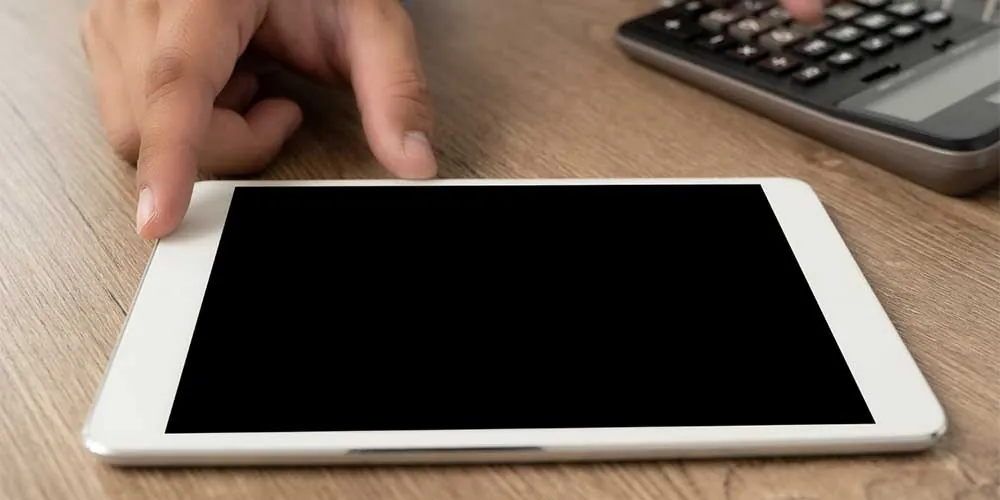
iPad trade-in programs let you exchange an eligible iPad for value that can be applied toward a purchase, issued as store credit or a gift card, or paid through another method depending on the provider. The amount you receive depends on your iPad's model, age, configuration, and condition.
Trading in an iPad can be a convenient way to recover value from a device you no longer use. Instead of leaving an older iPad in a drawer, you can put its remaining value toward an upgrade, another purchase, or other expenses.
Several options are available, including Apple's trade-in program, Best Buy, online buyback services, and trade-in programs powered by companies such as Phobio.
The right option depends on what matters most to you: convenience, payment flexibility, store credit, potential value, shipping, or sustainability.
Here's what to know before trading in your iPad.
How Does an iPad Trade-In Work?
Most iPad trade-in programs follow the same basic process: identify your device, describe its condition, receive an estimated value, send or bring in the iPad, and have its condition verified before the final value is confirmed.
The process typically looks like this:
Identify your iPad. Determine the model, generation, storage capacity, and connectivity configuration.
Describe its condition. Answer questions about whether it powers on, whether the display works properly, and whether there is physical damage.
Receive a trade-in estimate. The provider calculates a value based on the information you provide.
Accept the offer. If the value and terms work for you, proceed with the trade-in.
Prepare the iPad. Back up your information, sign out of your Apple Account, and erase your personal data.
Ship or deliver the device. Depending on the program, you may receive prepaid shipping materials or complete the transaction at a participating store.
Inspection and final valuation. The provider checks the iPad to confirm its model and condition.
Receive your value. Payment may take the form of store credit, a gift card, or another payment method depending on the program.
The most important thing to remember is that an initial online estimate may depend on the accuracy of the information you provide.
What Determines an iPad's Trade-In Value?
An iPad's trade-in value is primarily determined by its model, generation, configuration, physical condition, functional condition, and current market demand.
Factors that can affect the value include:
iPad model and generation
Storage capacity
Wi-Fi versus cellular connectivity
Screen size
Processor or chip
Physical condition
Display condition
Battery and charging performance
Whether the device powers on and functions properly
Current demand for the model
Newer iPads generally have more remaining market value, but there is no single trade-in price for every iPad.
Two iPads from the same generation can receive different offers because their configurations and conditions differ.
Where Can You Trade In an iPad?
You can trade in an iPad through Apple, major retailers, dedicated buyback services, or trade-in programs operated by third-party providers for participating retailers.
Each option has different advantages and considerations.
Apple Trade In
Apple Trade In allows eligible iPads to be exchanged for credit toward an Apple purchase or Apple Gift Card value, subject to Apple's current program terms.
The process is designed for customers who want to remain within the Apple ecosystem.
You provide information about your iPad and its condition to receive an estimated trade-in value. If you proceed with an online trade-in, the device is sent to Apple or its trade-in partner for inspection.
If the device doesn't match the information provided, the final value may differ from the initial estimate under the program's terms.
Potential advantages:
Convenient if you're already purchasing from Apple
Integrated with the Apple ecosystem
Online trade-in option
Recycling option for devices that aren't eligible for trade-in
Potential considerations:
Value is tied to Apple's current trade-in terms
Payment options are more limited than some cash-based buyback services
You should compare the current offer with other programs
Best Buy Trade-In
Best Buy offers trade-in options for eligible electronics, including qualifying iPads, with value provided according to its current program terms.
Depending on the program and device, customers may be able to complete the process online or at a participating Best Buy location.
The value depends on the specific iPad and its condition.
Potential advantages:
Convenient for Best Buy customers
Retail trade-in option
Ability to combine a trade-in with other technology purchases
Potential considerations:
Payment options are subject to Best Buy's current trade-in program
Offers vary by device
The current offer should be compared with alternatives
Online Buyback Services
Online buyback services purchase eligible devices directly rather than requiring you to find an individual buyer.
The process usually involves entering your iPad's specifications and condition online, receiving an offer, shipping the device, and receiving payment after inspection.
This can be easier than selling through a peer-to-peer marketplace because you don't have to create a listing, negotiate with buyers, or arrange a private transaction.
Before choosing a buyback service, check:
Current offer
Payment method
Shipping costs
Quote expiration period
Inspection process
Condition-adjustment policy
Return policy
Data-handling practices
What Is Phobio's Role in iPad Trade-In?
Phobio provides trade-in technology and services that power programs for participating retail and brand partners. Depending on the specific program, consumers can use a Phobio-powered trade-in experience to receive value for an eligible iPad.
Learn more about Phobio's trade-in services
The specific payment method and program terms depend on the partner program you're using.
A typical Phobio-powered experience involves:
Selecting your iPad.
Answering questions about its specifications and condition.
Receiving a trade-in offer.
Accepting the offer.
Receiving shipping instructions or a prepaid shipping label.
Sending the iPad for inspection.
Having the device evaluated.
Receiving the applicable value according to the program's terms.
This distinction is important: Phobio may power the trade-in experience without being the retailer providing the final store credit or gift card.
For example, a customer using a retailer's trade-in program may interact with Phobio technology as part of that retailer's overall trade-in process.
Is It Better to Trade In an iPad or Sell It Yourself?
Trading in an iPad is generally simpler than selling it yourself, while a private sale gives you more control over the selling price and transaction.
With a private sale, you may be able to set your own price, but you're also responsible for:
Creating the listing
Taking photographs
Answering buyer questions
Negotiating
Collecting payment
Shipping or arranging a meetup
Managing potential disputes
A trade-in program removes much of that work.
The trade-off is that the value offered by a trade-in program may differ from what you could receive through a private sale.
When comparing the two, consider net value rather than just the advertised price.
For a private sale, account for marketplace fees, payment fees, shipping costs, and your time.
Should You Trade In Your iPad Through Apple or Another Provider?
The choice between Apple and another trade-in provider depends on how you want to use the value and which program offers the best combination of price, convenience, and payment flexibility for your specific iPad.
Consider Apple if:
You're already purchasing another Apple product.
Apple credit fits your needs.
You value a streamlined Apple-centered experience.
Consider another provider if:
You want to compare multiple current offers.
You prefer a different payment option.
You aren't planning to make another Apple purchase.
Another program provides better terms for your specific device.
There isn't a single trade-in value that applies across every provider, so comparing current offers is the most reliable way to evaluate your options.
How Can You Get the Most Value for Your iPad?
To maximize your iPad trade-in value, accurately identify the device, describe its condition honestly, compare current offers, and prepare the iPad correctly before sending it in.
1. Identify the Exact Model
Don't rely on memory.
Check your iPad's model and configuration before requesting quotes. Storage capacity and connectivity can affect the value.
2. Describe the Condition Accurately
Check for:
Cracks
Scratches
Dents
Display problems
Touchscreen issues
Camera problems
Charging problems
Battery issues
Buttons that don't work
Other functional defects
An accurate condition assessment makes the initial quote more useful and reduces the chance of an unexpected adjustment after inspection.
3. Compare Current Offers
Trade-in values change over time.
Compare the same iPad configuration across multiple programs and look beyond the headline amount.
Consider:
Payment method
Shipping
Fees
Inspection requirements
Quote expiration
Return policies
Processing time
4. Protect the Device
If you're planning to trade in an iPad in the future, keeping it in good physical condition can help preserve its resale value.
A case and screen protection can reduce everyday wear and accidental damage.
5. Don't Assume Accessories Increase the Value
Some programs may request or accept accessories, while others don't require them.
Check the specific trade-in instructions before sending chargers, cables, cases, or other accessories.
How Do You Prepare an iPad for Trade-In?
Before trading in an iPad, back up your data, sign out of your Apple Account, erase all personal information, and follow the trade-in provider's preparation instructions.
Use this checklist:
1. Back Up Your iPad
Back up important photos, files, contacts, and other information using iCloud or another appropriate backup method.
Verify that the information you need is safely backed up before erasing the device.
2. Sign Out of Your Apple Account
Sign out of your Apple Account as part of preparing the iPad for its next owner.
This is important because account protections can prevent another person from properly using the device.
3. Erase All Content and Settings
Use the iPad's current Transfer or Reset iPad settings to erase your personal information and restore the device to a clean state.
Apple's current instructions should take precedence over older trade-in checklists if the menu names or steps have changed.
4. Remove a Physical SIM Card
If your cellular iPad uses a physical SIM card, remove it before sending the device to a trade-in provider.
5. Clean the iPad
Remove dust and fingerprints and inspect the device for damage.
Cleaning won't eliminate scratches or functional problems, but it ensures the device is presented accurately.
What Happens to an iPad After Trade-In?
After trade-in, an iPad may be resold, refurbished, reused, or recycled depending on its condition, market value, and the provider's processes.
A functioning iPad with sufficient residual value may be prepared for another user.
Devices that aren't suitable for resale may be directed toward appropriate recycling processes.
This means trade-in can extend a device's useful life when the hardware remains viable while providing a responsible disposition path when reuse is no longer practical.
Does Trading In an iPad Support the Circular Economy?
Yes. iPad trade-in can support the circular economy by creating a pathway for used devices to be reused, refurbished, resold, or recycled instead of remaining unused.
The basic lifecycle is:
Trade-in → inspection → reuse or refurbishment → resale → additional useful life → recycling when reuse is no longer practical
The environmental benefit depends on what happens to the device after trade-in.
A device that is successfully reused can remain in service longer, while responsible recycling can help recover materials from devices that have reached the end of their useful life.
What Should You Compare Before Choosing an iPad Trade-In Program?
Compare the total value and terms of each program rather than focusing only on the initial quote.
Use this checklist:
| Factor | What to look for |
|---|---|
| Trade-in value | Current offer for your exact model and condition |
| Payment | Store credit, gift card, cash, or other available option |
| Convenience | Online, mail-in, or in-store process |
| Shipping | Whether shipping is prepaid |
| Inspection | How the device is evaluated |
| Adjustments | What happens if the condition differs |
| Processing time | How long valuation and payment take |
| Data security | How personal data is handled |
| Disposition | What happens to the device after trade-in |
| Customer support | How questions or disputes are handled |
This comparison can help you choose a program based on your actual priorities.
Final Thoughts
Trading in an iPad can turn an unused device into value while simplifying the process of upgrading or clearing out old technology.
Apple, Best Buy, online buyback providers, and Phobio-powered partner programs each offer different approaches.
The best way to make an informed choice is to:
Identify your exact iPad model and configuration.
Assess its condition honestly.
Compare current offers.
Consider cash versus store credit.
Review shipping and inspection policies.
Back up and erase your personal data.
Understand what happens if the final valuation differs from the initial quote.
Your old iPad may still have useful market value. Comparing your options before you trade it in can help you recover that value with a process that fits your needs.
Frequently Asked Questions
How much is my iPad worth?
Your iPad's trade-in value depends on its exact model, generation, storage, connectivity, condition, and current market demand. The most accurate way to determine its value is to request a current quote using the device's exact specifications.
Can I trade in a broken iPad?
Some trade-in programs accept iPads with damage, while others may only accept devices that meet specific functional or condition requirements. The value will depend on the type and severity of the damage.
Can I trade in an old iPad?
Yes, some programs accept older iPad models, although eligibility and value vary by provider. An older device may still have value for reuse, refurbishment, parts, or recycling.
Do I need the original box to trade in my iPad?
Usually, the original box is not the primary factor determining an iPad's trade-in value. Follow the specific provider's instructions about which accessories, if any, should be included.
Should I trade in my iPad before buying a new one?
You can trade in an iPad before or as part of an upgrade, depending on the provider's process. If you're using trade-in value to offset a new purchase, check when the credit becomes available and whether the program's timing works with your purchase.
What happens if my iPad's condition is worse than I reported?
The provider may revise the trade-in value after inspecting the device. Depending on the program, you may have the opportunity to accept the revised value or decline it and have the device returned.
Is it safe to trade in an iPad?
Trading in an iPad can be safe when you use a reputable provider and properly erase your personal information before transferring the device. Always back up your data and follow the provider's preparation instructions.
Phobio